The Best Superpower ChatGPT Alternative in 2026 (Lighter, Private, Works on Claude Too)
· Updated
Who should stay on Superpower — and who should look elsewhere
Superpower ChatGPT is one of the most impressive browser extensions in the AI tools space, and that is not a backhanded compliment. With over 100,000 users and a rating of roughly 4.4 to 4.5 stars on the Chrome Web Store, it has earned its reputation as the go-to power-user overhaul of the ChatGPT interface. If you want to customize every corner of the ChatGPT experience — custom UI panels, community prompt libraries, voice tools, image features, and comprehensive folder management — Superpower delivers all of it in a single install.
But for a specific slice of users, Superpower is more than they need, or more than they are comfortable with. If you only want folders to tidy up your sidebar, the full interface overhaul can feel like bringing a freight truck to a grocery run. If you split your time between ChatGPT and Claude, the fact that Superpower only works on chatgpt.com is a real friction point. If you are on macOS and primarily browse in Safari, Superpower simply does not run there at all. And if you read privacy policies before installing extensions that touch your AI conversations — the place where a lot of your most sensitive professional and personal thinking happens — the data collection details in Superpower’s own policy may give you pause.
We built NorthLab Folders, so we have a clear bias here and want to name it upfront. This is not an attempt to dismiss Superpower. It is an honest comparison for people who are specifically looking for a lighter, more privacy-focused option that works across more browsers and both major AI platforms.
What Superpower ChatGPT actually does well
Before going any further, it is worth being concrete about what Superpower gets right, because the case against something is only meaningful if you understand what you would be giving up.
Superpower’s folder system is genuinely capable. You can organize chats, assign them to categories, and navigate large histories without losing things. That core functionality works well, and the breadth of additional features stacked on top — prompt pinning, community prompt sharing, voice input, UI theming — means power users who live in ChatGPT all day get a meaningfully richer experience than the stock interface provides. The extension has been around long enough to have a mature feature set and a responsive developer team, which is worth something in a market where new tools appear and disappear quickly.
Its Chrome Web Store rating reflects genuine user satisfaction among its target audience. If you are someone who wants to transform ChatGPT into a more powerful daily workspace and you are comfortable with the trade-offs involved, Superpower delivers on its promises.
The trade-offs worth examining
Where Superpower becomes a harder sell for certain users is when you read past the feature list. According to its own published privacy policy, Superpower collects user names, email addresses, and IP addresses. While conversation data is stored mostly locally on your device, the personal data collection indicates that a backend is processing user information. This is consistent with reports from some users who have noted receiving marketing emails after installing the extension — which confirms that the install process registers you with a remote service, not just a local script.
Whether this bothers you depends entirely on your situation. For someone using ChatGPT casually, it may feel like a reasonable trade for a feature-rich tool. For someone whose ChatGPT history contains unreleased product strategy, medical questions, legal drafts, client communications, or sensitive personal matters, having their name, email, and IP address attached to an account in someone else’s database feels like an unnecessary exposure. The extension has access to the page where all of that conversation content lives. Even if it is not transmitting the conversation text itself, the personal data trail it creates is still something worth weighing deliberately.
Pricing is another consideration that has started to come up more frequently in Superpower discussions. The Pro tier runs approximately $15 to $19 per month, or around $96 to $100 billed annually. That is a meaningful recurring cost for what is ultimately a browser extension. There is no lifetime purchase option that would let you pay once and stop the subscription treadmill. For users who are scrutinizing their software spending, that monthly line item adds up quickly against the cost of tools that either offer a free tier with real utility or a one-time purchase option.
Finally, platform scope is a practical limitation that does not get enough attention. Superpower ChatGPT is a ChatGPT-only tool. It does not work on claude.ai. As more users find themselves alternating between OpenAI and Anthropic depending on the task — using GPT-4o for some things, Claude Sonnet or Opus for others — being locked into an organizer that only works on one platform means maintaining two separate organizational systems. It is also Chrome and Firefox only, with no Safari support, which excludes a meaningful portion of Mac users who prefer the browser that ships with their operating system.
What NorthLab Folders is designed to do instead
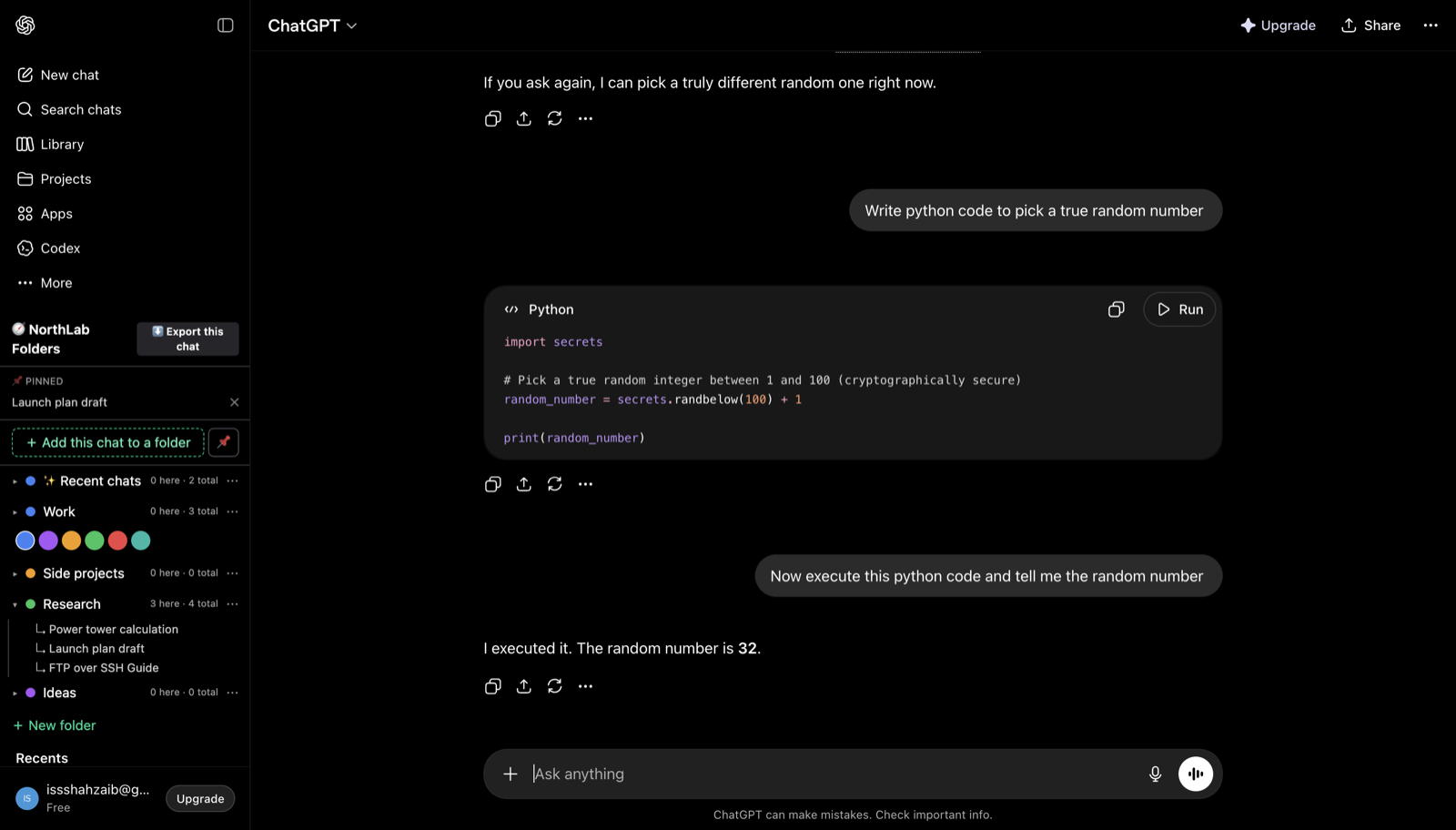
NorthLab Folders was built around a different set of priorities: doing fewer things, doing them on more platforms, and touching as little of your data as possible. It is a focused extension, not an interface overhaul. It docks into the native sidebars of chatgpt.com and claude.ai without replacing or restyling the interfaces you already know. If you open ChatGPT or Claude today, the experience looks and feels exactly the same — there is just a folder panel built into the sidebar where you can organize your chats.
The cross-platform story is where NorthLab Folders differs most practically from Superpower. It runs on Chromium browsers — Chrome, Edge, Brave, Arc, and Opera — and it also ships a signed, notarized native build for Safari on macOS, making it currently the only ChatGPT and Claude folder extension that works in Safari at all. If you are a Mac user who prefers Safari, that distinction is the whole ballgame. For a fuller look at how these extensions stack up across the field, see our best ChatGPT folder extensions roundup.
On data: NorthLab Folders is strictly local-first. The extension stores only your folder names and the conversation IDs needed to map chats to their folders — never message text, never conversation content. Nothing about your chats leaves your browser. We do not operate backend servers that touch your prompts. The only network call the extension ever makes is a license-key verification to our payment processor, Lemon Squeezy, when you activate a Pro subscription, and that call contains no information about your conversations whatsoever. We do not collect names, email addresses, or IP addresses in connection with your chat activity.
A direct comparison
| Tool | Folders | Subfolders | Claude support | Local-first / data collected | Safari | Price |
|---|---|---|---|---|---|---|
| Superpower ChatGPT | Yes | No | No | Mostly local; collects name, email, IP | No | ~$15–19/mo · ~$96–100/yr |
| NorthLab Folders | Yes | Yes (depth-1) | Yes | Strictly local; no personal data collected | Yes | $4.99/mo · $39/yr · $79 lifetime ($59 at launch) |
A few details in that table are worth unpacking. The subfolders column reflects that Superpower does not currently offer nested folder depth, while NorthLab Folders Pro supports depth-1 nesting — meaning you can create a top-level folder like “Work” and place sub-folders like “Q3 Planning” and “Client A” inside it, without the hierarchy becoming unwieldy. The price comparison also highlights that NorthLab Folders offers a lifetime option at $79 ($59 during launch pricing), which is a one-time payment with no recurring billing. Superpower has no equivalent offer.
Practical features on both free and Pro tiers
The free tier of NorthLab Folders is designed to be genuinely useful rather than a demo. You get 3 folders immediately without a time limit, along with the ability to pin important chats, date stamps on your conversations so you know when things happened, the ability to copy any conversation as clean Markdown, and single-chat export to either Markdown or JSON. Those utilities exist because they are the things people actually reach for when managing a busy AI workflow — not as traps to get you to upgrade.
Pro unlocks unlimited folders, depth-1 subfolders, a cross-chat search tool for finding conversations across your entire history, and bulk folder export as a zip of Markdown files. That last feature is the one that matters most for professionals who want to archive or move their AI-assisted work into a document management system or version control. If you do any serious professional work in AI and want clean, portable exports of your thinking, bulk export is the feature that makes that possible without doing it one chat at a time. You can read more about general strategies for how to organize ChatGPT chats beyond just folders.
Honest limitations to name before you decide
It would not be a fair comparison without naming what NorthLab Folders does not do. We are a new entrant. Our install base is small compared to Superpower’s 100,000+ users, which means there is less community experience to draw on, fewer forum threads answering edge-case questions, and a shorter track record. If longevity of a tool in the market is part of how you evaluate software, Superpower has a meaningful head start there.
The local-first architecture, which is our strongest privacy guarantee, also means your folder layout exists only on the device where you set it up. There is no cross-device sync. If you organize your chats on your work laptop and then open Claude on your home desktop, the folder structure will not be there. Superpower does not offer cross-device sync either for its conversation data, but we want to be clear that this is a limitation of any strictly local architecture, including ours.
And Superpower’s feature breadth is genuinely wider. If you need community prompts, extensive UI customization, voice tools, or image-related features alongside your folders, NorthLab Folders will not replace all of that. We do one thing — organize your chats — and the decision to stay narrow is deliberate, but it is still a constraint.
The bottom line
If you use Superpower ChatGPT and love the full interface overhaul, there is no strong reason to leave. It is a well-made tool with a large user community and a rich feature set, and for the right kind of power user, the data trade-offs and the subscription cost are perfectly reasonable prices to pay for what you get.
If, on the other hand, you primarily want folders rather than a wholesale UI replacement, you use both ChatGPT and Claude, you browse in Safari, or you are uncomfortable with an extension that collects your email and IP address in the course of organizing your most sensitive professional conversations, then NorthLab Folders is built specifically for that profile. You can start with the free tier immediately — no account required, no email collected — and see whether the focused approach is what you have been looking for. Visit NorthLab Folders to install and get started.