Claude Projects vs Chats vs Skills: Which One Do You Actually Need?
Claude now gives you three containers for your work: plain chats, Projects, and Skills. Anthropic’s docs explain each one in isolation, but the question people actually have is comparative — which one do I put this in? After months of running all three daily, here’s the mental model that finally made it click, and the honest answer about what none of them solve.
The one-sentence answer
Chats are for asking, Projects are for working, Skills are for repeating. A throwaway question needs a chat. A body of work with documents and context needs a Project. A way-of-doing-things you keep re-explaining — a format, a process, a voice — should become a Skill. If you’re re-pasting the same context into new chats, you needed a Project yesterday; if you’re re-typing the same instructions across different work, you needed a Skill.
What a plain chat gives you (more than it used to)
The humble chat has quietly improved. Search at the top of the sidebar finds past conversations by title on every plan, and on paid plans Claude can even recall previous discussions when you ask something like “what did we decide about the pricing page last week?” — it runs a search over your history and pulls the context in.
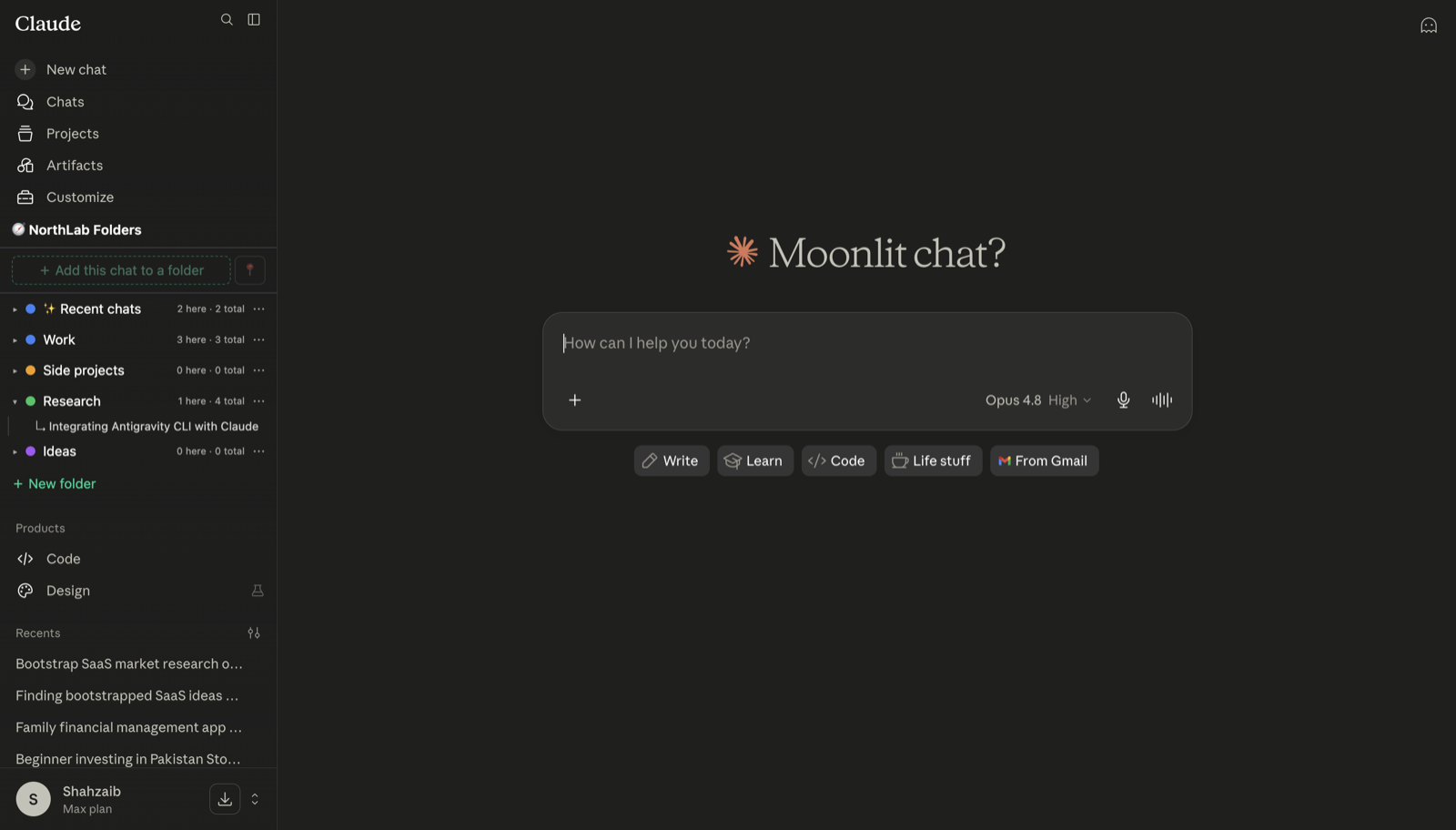
But a chat still starts from zero. No standing instructions, no attached documents, no persistent identity. For one-off questions that’s a feature, not a bug. The moment a topic outgrows a single conversation, you hit the ceiling: you’re re-uploading the same spec for the fourth time, and the sidebar is turning into an archaeology dig. (For the sidebar problem specifically, see how to make a folder of chats in Claude — folders aren’t something Claude provides natively.)
What Projects add: memory for a body of work
A Project wraps every chat inside it with two persistent things: custom instructions (how Claude should behave in this workspace) and knowledge files (documents up to 30 MB each that every chat can draw on). Start a new chat inside the project, and Claude already knows your codebase conventions, your product spec, your client’s tone — no re-uploading.
Plan limits are the main gotcha: the free plan caps you at 5 projects, while Pro, Max, Team, and Enterprise get unlimited. There’s no cap on chats inside a project. When your knowledge base gets large, Claude retrieves the relevant parts per question rather than reading everything every time — good for scale, occasionally surprising when it skips a document you consider crucial. Naming files descriptively helps retrieval find them.
We’ve covered setup, the system-prompt field, and the limits in detail in Claude Projects, explained, so I won’t repeat it here.
Can you share a project? Only on Team and Enterprise plans, where a project owner can make it available to teammates so everyone works from the same knowledge and instructions. On Free, Pro, and Max, projects are strictly personal. That surprises a lot of Pro users — sharing is the single most-cited reason for the Team upgrade.
What Skills add: teach it once, use it everywhere
Skills are the newest of the three and the most misunderstood. A Skill is a reusable package — instructions, optionally with reference files and scripts — that teaches Claude how to do a specific task: format a report your company’s way, review code against your checklist, write in your brand voice. Claude loads a Skill automatically when it detects the task matches, in whatever chat or project you happen to be in.
The contrast with Projects is scope. A Project’s instructions live inside that project’s walls. A Skill follows you everywhere. That’s why the right split is:
- Your brand voice guide → Skill (applies to every piece of writing, in any workspace)
- The Q3 campaign you’re writing → Project (one body of work, its own documents)
- “Quick, what does this error mean?” → plain chat
If you’ve ever pasted the same “here’s how to format the output” boilerplate into six different projects, that boilerplate was a Skill wanting to be born.
Claude Projects vs ChatGPT Projects
Both products converged on “project” as the container name, which makes the comparison inevitable. They’re closer than different, but the emphasis differs: Claude Projects are built around the knowledge base — persistent files with generous per-file limits and retrieval when content outgrows the context window — plus per-project custom instructions. ChatGPT Projects grew out of folder-style chat grouping, with files and project-scoped memory added over time.
In practice: for document-heavy work (a repo’s docs, a research corpus, a client archive), Claude’s knowledge-file model is the stronger fit. For “I just want my chats grouped and the model to remember this thread of work”, both do the job, and the deciding factor is which assistant you’d rather be talking to anyway.
What none of them solve: the everyday pile
Here’s the honest gap, with the disclosure that we build a product in it: Projects and Skills organize your intentional work, but most chats aren’t intentional. They’re the daily flow of questions, debugging sessions, and half-ideas that don’t belong to any project — and Claude gives you no folders, no tags, and no way to group them. The 5-project cap on the free plan makes “just make a project for everything” a non-starter, and even on paid plans, nobody creates a project for “misc Tuesday stuff”.
That everyday pile is what NorthLab Folders handles: folders and search for your Claude chats (ChatGPT and Gemini too), stored locally in your browser. Projects for the work, folders for everything else — they compose rather than compete.
The decision table
| You want to… | Use |
|---|---|
| Ask a one-off question | Plain chat |
| Keep context for one body of work | Project |
| Reuse a process/format/voice across all work | Skill |
| Give teammates the same context | Shared project (Team/Enterprise) |
| Group and find everyday chats | Folders (extension — not native) |
Frequently asked questions
What’s the difference between a Claude Project and a regular chat?
A regular chat starts from zero every time. A Project is a workspace that wraps every chat inside it with the same custom instructions and knowledge files (up to 30 MB each), so Claude already has your context before you type a word. Free plans get 5 projects; Pro, Max, Team, and Enterprise get unlimited.
What’s the difference between Claude Skills and Projects?
Projects define what you’re working on — the documents and context for one body of work. Skills define how Claude does a task — reusable instruction packages (with optional files and scripts) that Claude loads automatically whenever a task matches, in any chat. A brand voice guide is a Skill; the campaign you’re writing with it is a Project.
Can you share Claude Projects with other people?
Only on Team and Enterprise plans, where project owners can share a project so teammates work from the same knowledge and instructions. On Free, Pro, and Max plans, projects are personal and can’t be shared — the workaround is exporting key chats and sharing those.
How are Claude Projects different from ChatGPT Projects?
They’re similar containers, but the defaults differ: Claude Projects are built around persistent knowledge files and custom instructions with retrieval when content is large, while ChatGPT Projects lean on folder-style chat grouping with files and memory scoped to the project. Claude’s 30 MB-per-file knowledge base is the bigger draw for document-heavy work.